
Trusted by busy households everywhere
How Mallory Works
Just text. That's it. No apps, no learning curve.
Give it to Mallory
Text Mallory whatever's on your mind—"Owen has soccer Thursday at 4" or "Add birthday gift for Emma to my list." Forward emails, connect your calendars, and let Mallory handle the chaos: school schedules, sports, social events, to-dos, and all the logistics in between.
- Text events, tasks, reminders
- Forward emails to your Mallory address
- Sync Google & Apple Calendars
- AI handles events automatically

Everything via text message
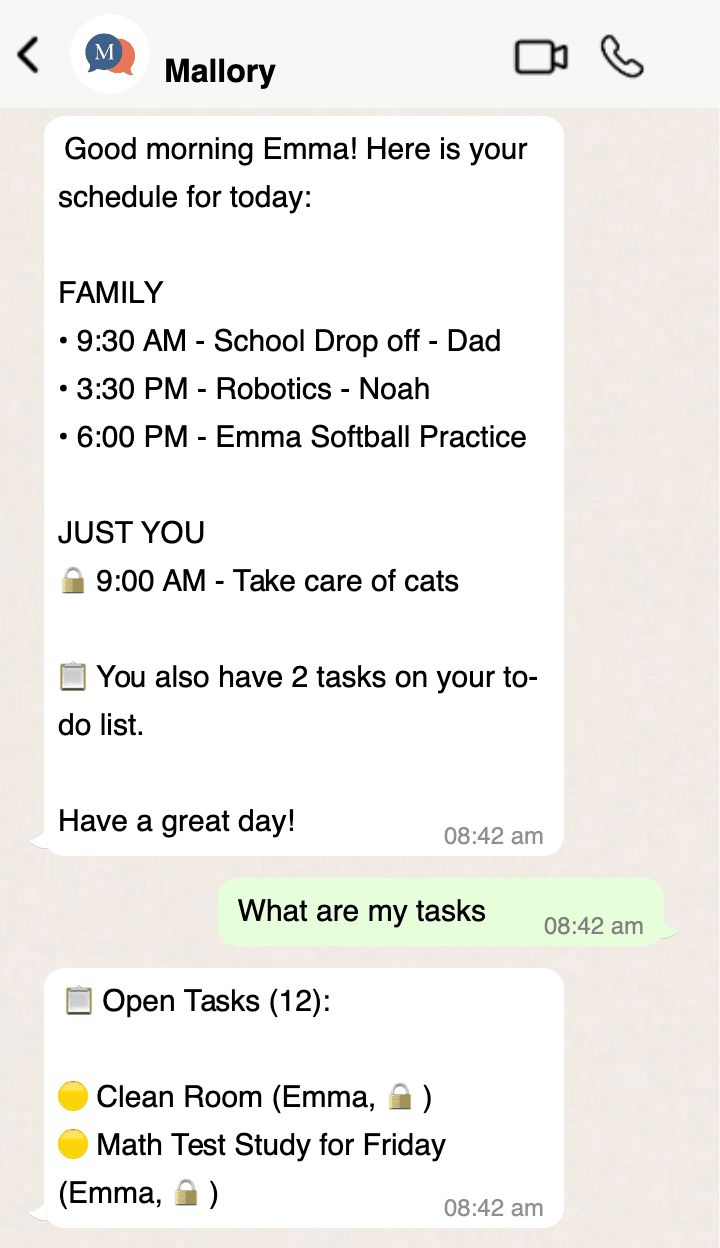
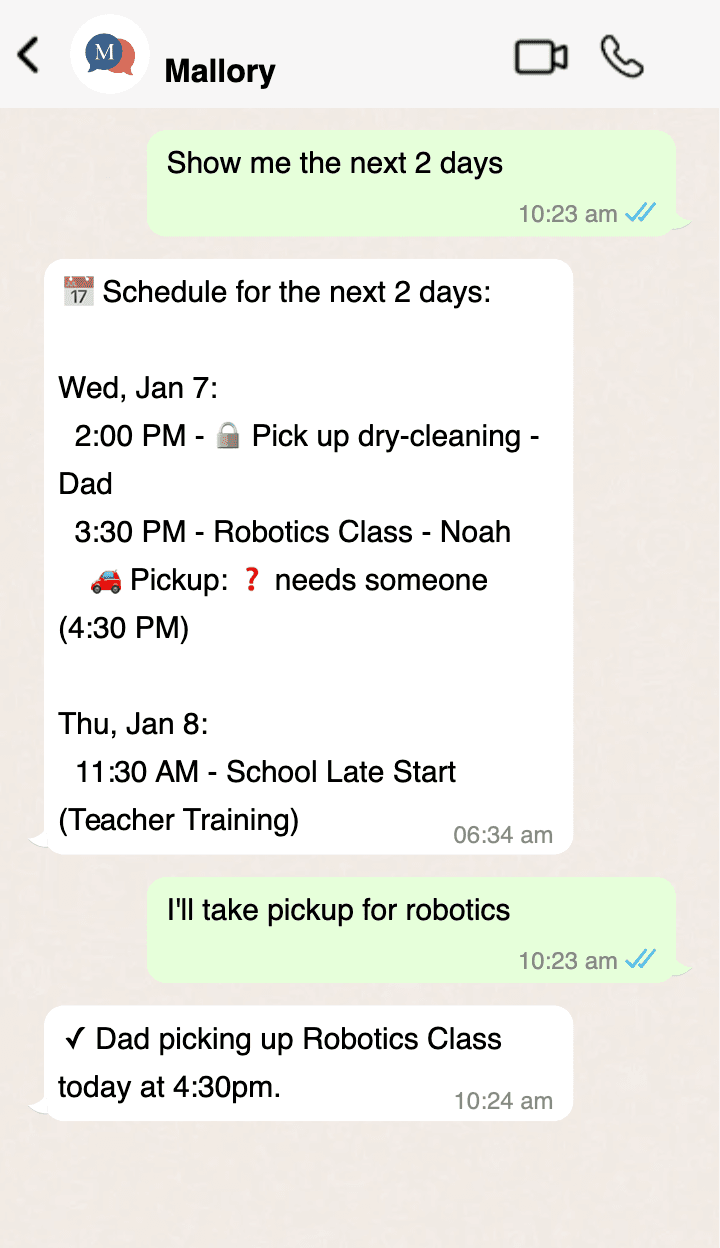
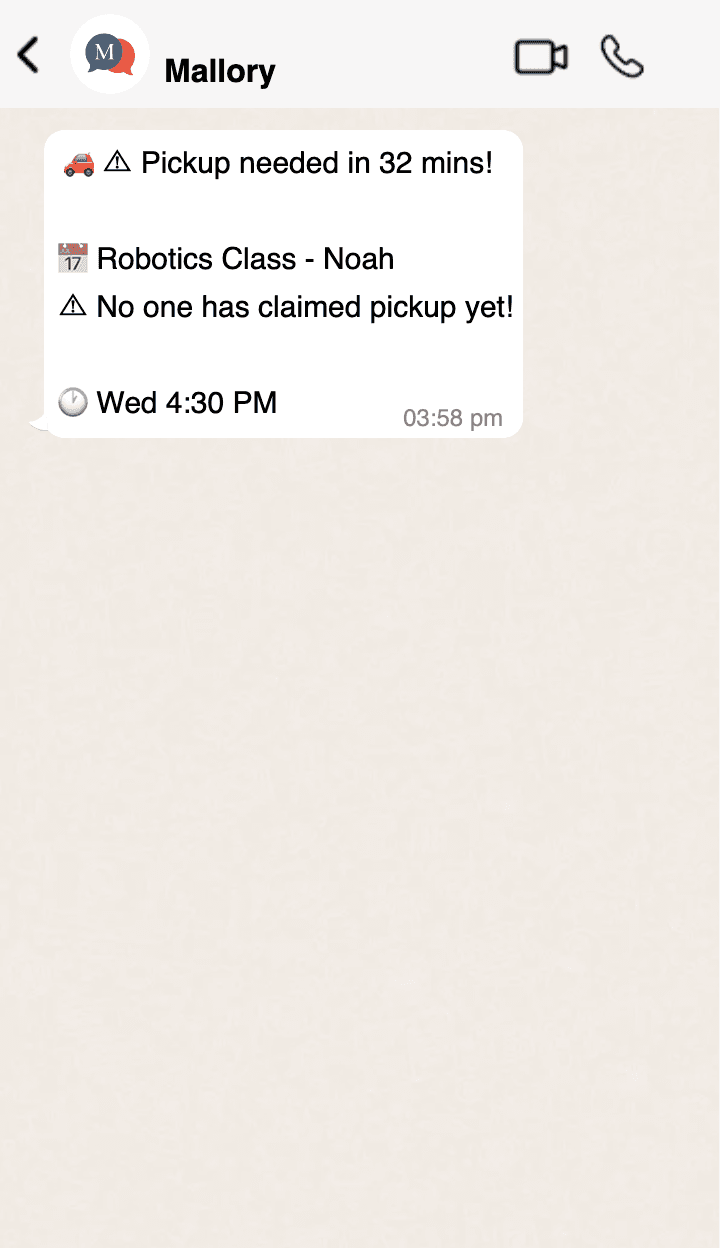
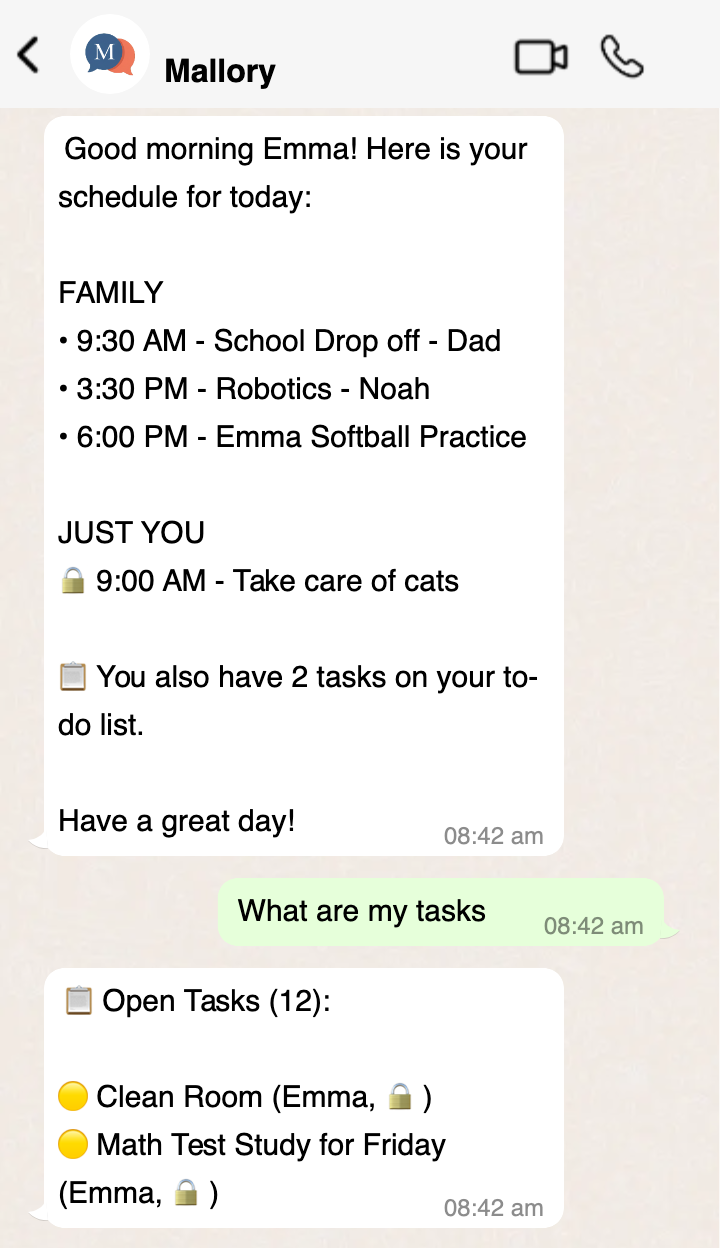
No new app to learn. Mallory keeps your calendar and to-do list organized and accessible to everyone. Stay one step ahead with SMS rundowns the night before, the morning of, and on demand whenever you need.
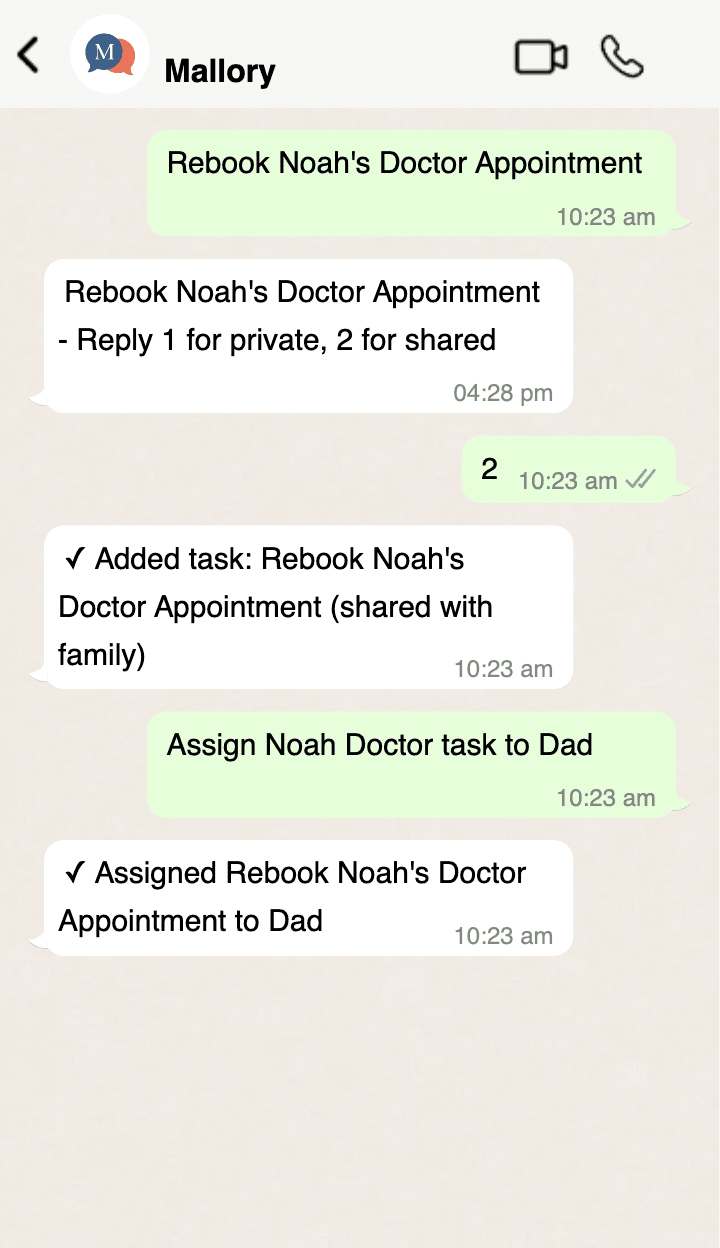
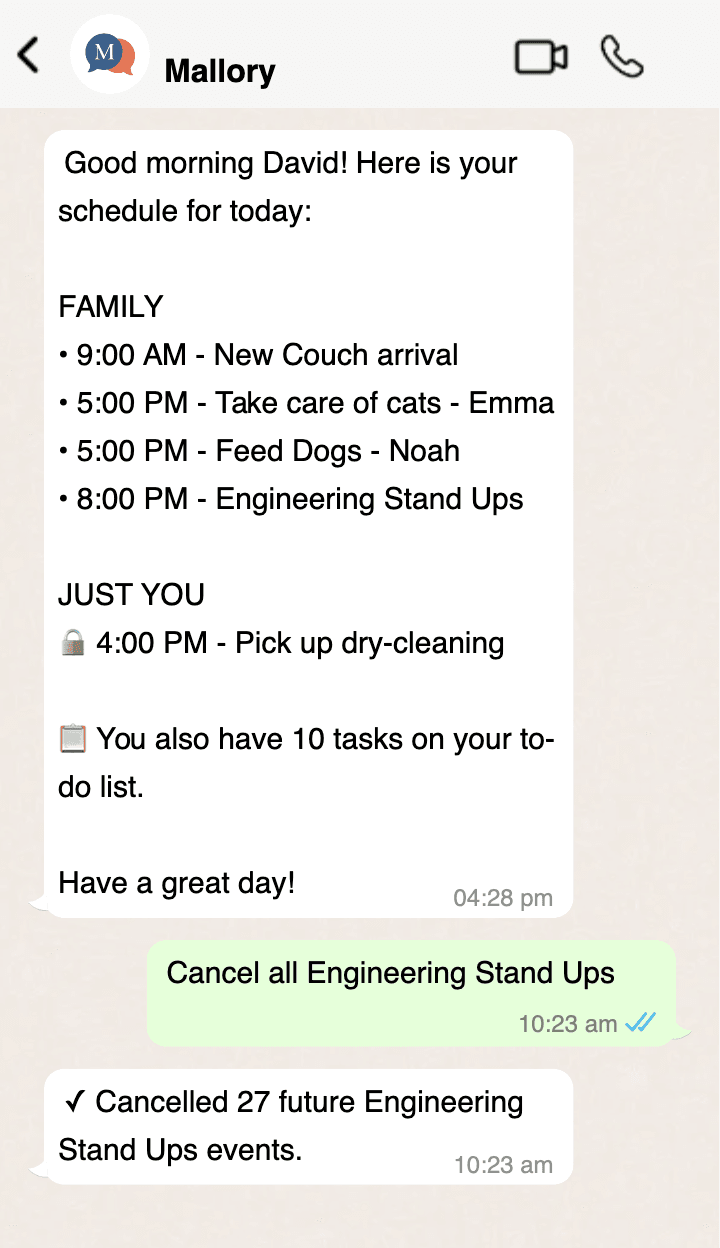
- Create, cancel, reschedule events
- Assign pickups and dropoffs
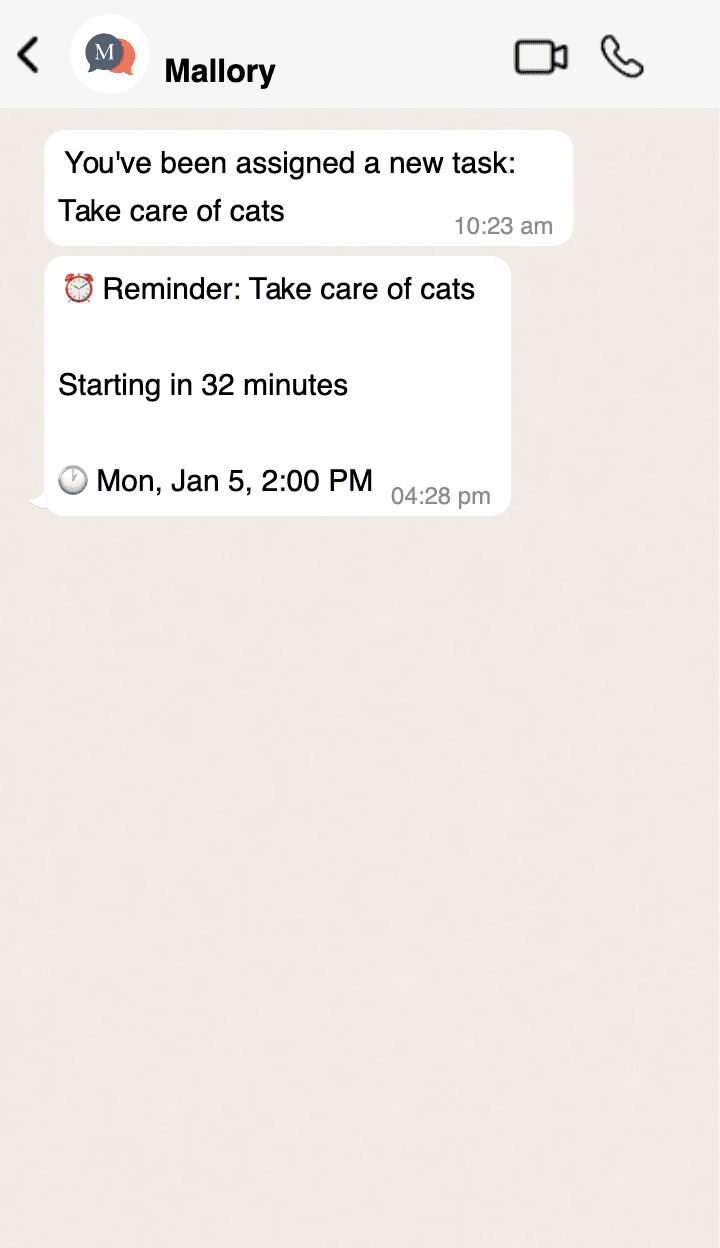
- Add to-dos and get reminders
- Daily summaries & event alerts
Made for everyone
Mallory handles both events and to-dos in one place. Works for individuals keeping their own life organized, couples syncing schedules, or families of any size. Yes, even the pets have a spot.
- Events and to-dos together
- Works for individuals or families
- Shared or private—you choose
- Pets welcome 🐕

Simple pricing for every scenario
Start free, or choose a plan that fits your needs
Free
Everything you need to organize your family — calendar, tasks, email forwarding, and AI event extraction.
- 4 users + 2 pets
- 4 connected calendars
- Email forwarding + AI extraction
- In-app chat with Mallory
- Push notifications & email reminders
- Pickup/dropoff coordination
- —No SMS
- —Ad-supported
Mallory+
Everything in Free, plus SMS conversations, more family members, and no ads.
- 8 users + 6 pets
- 10 connected calendars
- Everything in Free
- SMS conversations with Mallory
- SMS reminders
- Ad-free experience
- Priority support
Free plan available with no credit card required.
Frequently Asked Questions
Do I need to download an app?
No! Mallory works entirely via text message. You can also use the web app to view your calendar and manage settings, but it's completely optional.
What counts as an SMS message?
Each text you send to Mallory and each response you receive counts as one message. Daily summaries and reminders are included and don't count against your limit.
Can everyone in my household use it?
Yes! Add household members to your account and they can text Mallory from their own phone. Kids, grandparents, anyone who can text can use Mallory.
What happens if I go over my SMS limit?
You'll get a warning when you're approaching your limit. Reminders always go through, but conversation messages will pause until the next month or you upgrade.
Can I cancel anytime?
Absolutely. Cancel from your settings and you'll have access through the end of your billing period. No questions asked.